


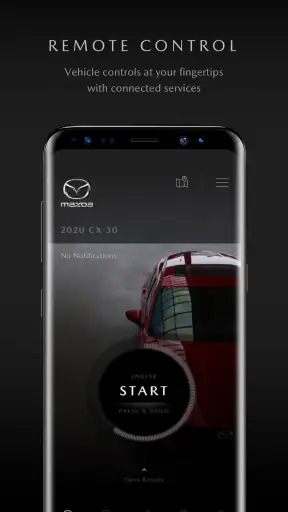
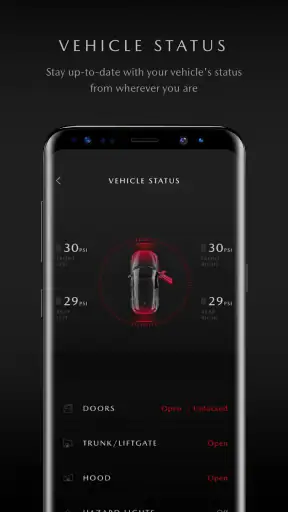
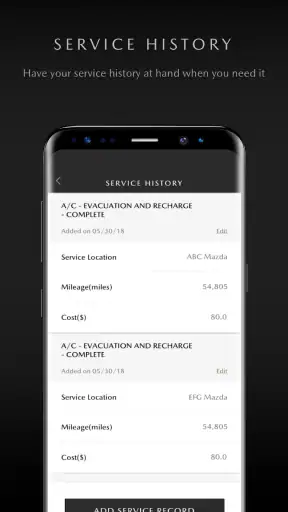
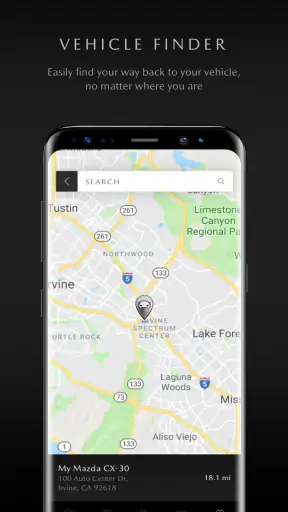
Owning a Mazda often means keeping several small tasks in your head at once: remembering vehicle details, finding the right support route, checking information before a trip, and knowing where to turn when something needs attention. I found MyMazda most useful as a central starting point for those moments. It is a free lifestyle app from Mazda Motor Corporation, designed around the practical side of ownership rather than entertainment or social features.
My first impression was that its value depends less on how often I open it and more on whether it removes uncertainty when I need it. That makes it different from a general automotive app, a navigation tool, or a manufacturer-neutral maintenance tracker. It is intended for Mazda owners, so its usefulness begins with the relationship between the driver and the vehicle. If you want a single place to begin when dealing with Mazda-related information or support, it has a clear purpose. If you only want maps, fuel prices, or a universal service log, another app may fit better.
From an ownership question to a practical next step
The most realistic way to judge this app is to follow an ordinary ownership workflow. Imagine that I am preparing for a longer drive and want to get organized before leaving. I do not necessarily need a complicated dashboard; I need a reliable path from “I have a question about my Mazda” to “I know what to do next.” That is where the app’s focused design makes sense.
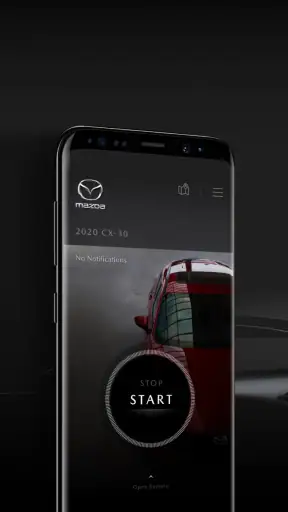
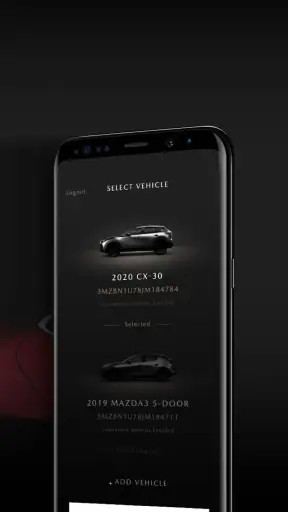
After opening it, I would begin by confirming that I am using the correct Mazda account and that the vehicle information connected to the app is accurate. This is an important habit with any manufacturer app. A wrong vehicle association can make otherwise useful ownership information confusing, especially in a household where more than one person drives or where a previous vehicle is still remembered. Taking a moment to check the basics is less exciting than exploring the interface, but it prevents avoidable mistakes later.
The next step is deciding what kind of task I am handling. A question about the vehicle itself is different from a request for assistance, a service-related matter, or a general ownership detail. I prefer apps that help me sort those intentions early, and MyMazda works best when I treat it as a route planner for ownership tasks rather than as a screen I browse without a goal.
That distinction is one of the first useful insights here: the app is strongest when I open it with a specific Mazda-related outcome in mind. It is not the kind of application I would launch repeatedly just to fill spare time. Its role is closer to a digital glovebox and contact point than to a daily social or media app.
Preparing before the trip
Before a journey, I would use the app to gather the information that normally gets scattered between memory, paperwork, and separate searches. The benefit is not that every driving task moves into one screen. The benefit is that the Mazda-specific part of the preparation starts in an official environment, which can reduce the chance of relying on an unrelated forum or an old search result.
This is especially helpful for a driver who has recently changed vehicles or is still learning the ownership routine. Instead of guessing which Mazda resource applies, I can begin with the app associated with the manufacturer. That makes the first handoff simpler: I move from my own question to the correct Mazda channel without having to identify the right destination from scratch.
For a family car, I would also treat account and vehicle details as part of the setup, not as an afterthought. If another person is responsible for arranging service or dealing with support, the usefulness of the app depends on how smoothly that person can access the relevant ownership context. The app may be convenient for the main account holder while being less convenient for a household that expects several drivers to manage everything independently.
That is a meaningful trade-off. A manufacturer-specific app can know the context of one brand better than a generic tool, but it also asks the owner to stay within that brand’s account and service ecosystem. I would choose that exchange when Mazda-specific guidance matters more to me than having one universal app for several vehicles.
Handling a service or support question
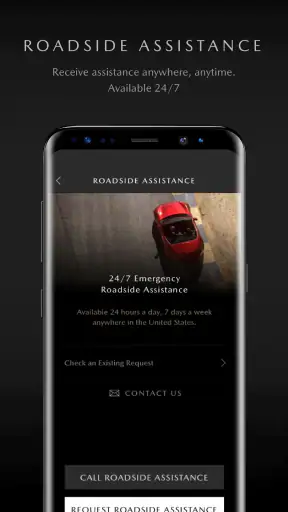
Suppose I notice a warning light or simply need help understanding what to do next. My preferred workflow would be to open MyMazda, identify the vehicle, and use the relevant ownership or support path rather than immediately searching the web. This does not replace professional diagnosis, and I would never treat an app as permission to ignore a serious warning. What it can do is reduce the number of disconnected steps between noticing a problem and finding the appropriate Mazda-related response.
The handoff matters here. A useful manufacturer app should help me move from the vehicle context to the right human or official resource. MyMazda is valuable when it gets me closer to that destination without making me repeat basic details at every stage. In practice, I would still expect to provide additional information when speaking with a service department or support representative, so I would keep the vehicle identification and the exact symptom ready rather than assuming the app completes the entire process automatically.
This is also where expectations need to stay realistic. The app is not a substitute for a mechanic, roadside professional, or emergency service. If the car is unsafe to drive, the correct response is to follow the vehicle’s safety guidance and seek appropriate assistance. MyMazda can be the starting point for an ownership workflow, but it should not be mistaken for a diagnostic instrument just because it is connected to the vehicle brand.
A small but useful habit is to write down what happened before opening the app: when the issue appeared, whether it returned after restarting the vehicle, and whether other symptoms were present. That information makes the eventual handoff more efficient. The app can organize the route to support, but the quality of the outcome still depends on the details I bring to the conversation.
Where the handoffs help and where they add work
MyMazda sits between the owner and Mazda’s wider ownership network. That position gives it an advantage over a generic notes app because the purpose is already understood. I do not have to build my own categories for every Mazda-related task. At the same time, the app is not the final destination for every need. Some actions naturally move from the app to a service location, a support conversation, or another Mazda resource.
Those handoffs are easiest when the app makes the next action obvious. They are more frustrating when I have to guess whether a button is meant for information, scheduling, assistance, or account management. A manufacturer app can feel simple on the surface while still requiring careful reading because several ownership situations sound similar. I would rather spend a few extra seconds checking the destination than start a request under the wrong category.
Another practical issue is that an official app does not automatically mean every part of ownership happens inside it. The experience can still depend on regional services, the account setup, the vehicle connected to the profile, and the person or department receiving the request. For that reason, I see MyMazda as a coordinator. It can make the first step cleaner, but it cannot remove every boundary between digital information and real-world service.
This is one of the app’s less obvious strengths: it encourages a more orderly ownership process. Instead of keeping a random collection of screenshots, browser bookmarks, and notes, I can begin with the Mazda-specific channel and then follow the task outward. The weakness is the reverse side of that design: if I want one app to manage a mixed garage containing several brands, I will probably need a separate general-purpose solution as well.
What the experience is like in everyday use
For a normal owner, the best result is reduced mental overhead. I do not need to remember every possible Mazda resource or decide which third-party website looks trustworthy before I begin. I open the app, orient myself around the vehicle and the task, and continue through the relevant route. That is a modest benefit, but it is exactly the kind of benefit that becomes noticeable when I am busy, travelling, or dealing with an unexpected question.
I would also use it as a preparation tool before contacting support. Rather than calling first and searching for details while waiting, I can review the ownership context and gather the information I expect to need. This makes the conversation more focused and reduces the chance of ending it only to discover that I forgot a basic detail.
The app’s lifestyle classification makes sense in this practical sense. It is not a driving game or a general productivity suite; it supports a part of daily life built around owning a Mazda. That narrow focus is a benefit for Mazda drivers and a clear reason for everyone else to skip it. A person shopping for a used car from another manufacturer would gain little from installing it merely to explore.
Its audience is broad in age because the content rating is Everyone, but ease of use will still depend on comfort with accounts and mobile workflows. A driver who prefers paper records, phone calls, or visiting a dealer directly may not find enough value to change established habits. I would recommend it more strongly to someone who wants official information within reach and is comfortable beginning service-related tasks on a phone.
Performance expectations and device fit
The current version is 9.4.1, and it requires a device running operating system version 10 or later. That requirement is worth checking before planning to rely on the app, particularly if it is being installed on an older spare phone or a shared family device. A free app is not truly convenient if the intended phone cannot run it or if the owner has to keep switching between devices to access the account.
I also think manufacturer apps should be judged by consistency rather than by how many screens they contain. MyMazda does not need to imitate a general automotive super-app to be useful. The important question is whether it gets me from a vehicle-related question to a sensible next step with minimal confusion. When it does, the focused scope feels deliberate. When my need falls outside Mazda ownership, that same scope becomes a limitation.
Because the app is tied to a specific manufacturer, I would keep a second option available for tasks that are not Mazda-specific. A general navigation app remains better for route planning, and a universal maintenance tracker may be better for recording work across different cars. MyMazda should not be judged as a replacement for those tools; its value comes from being the Mazda-facing part of the workflow.
Who will benefit most from it
I would recommend MyMazda to a current Mazda owner who wants an official starting point for ownership information and support. It is particularly sensible for someone who is new to the brand, shares responsibility for a vehicle with another person, or wants to replace scattered bookmarks and paper references with a mobile entry point.
It is also a good fit for owners who prefer to prepare before making contact. If I know that a service question may require vehicle details or a clear explanation of the issue, having a Mazda-focused app available can make that preparation less improvised. The benefit is not dramatic every day, but it becomes valuable at the exact moment when uncertainty is inconvenient.
The app has reached over a million installs, with an average rating of 4.4 from around sixty-two thousand ratings and about four thousand seven hundred written reviews. Those figures suggest that it has found a substantial audience among Mazda users, though they do not guarantee that every regional workflow or account experience will feel identical. I would read the overall reception as evidence of useful everyday value, not as a reason to ignore the app’s boundaries.
Since it is free, the decision is mainly about relevance and habit rather than purchase risk. I would install it if I owned a Mazda and wanted the official route close at hand. I would not install it simply because I enjoy collecting car apps, because its usefulness is tied closely to having a real Mazda ownership task to manage.
Who should choose another tool instead
I would skip MyMazda if I need a brand-neutral dashboard for several vehicles. A universal maintenance app can be more convenient when one person manages cars from different manufacturers, especially if the main goal is recording dates, expenses, mileage, or repairs in one consistent format.
I would also look elsewhere if my priority is navigation, traffic, fuel discovery, or trip planning. Those jobs are usually handled better by applications designed specifically for maps and journeys. MyMazda may support the ownership side of preparing for a trip, but it should not be treated as my complete driving toolkit.
Finally, I would not depend on it as my only emergency plan. A phone app is useful for beginning a support workflow, but urgent situations require the appropriate safety response, not a leisurely search through menus. Keeping essential vehicle documents and emergency contacts accessible outside the app is sensible, especially when travelling through areas with weak connectivity or when the phone battery is low.
The practical outcome after the workflow
When the process works well, I finish with a clearer next step: I understand which Mazda-related route applies, I have the vehicle context ready, and I know whether the matter belongs with information, support, or a service professional. That is a better outcome than opening a search engine and sorting through unrelated results, even if the app still hands me off to another person or channel.
The most valuable result is therefore not a flashy feature but continuity. I begin with my Mazda, move through the relevant official path, and arrive better prepared for the real-world action that follows. For routine ownership, that can save time and reduce the small uncertainty that makes simple tasks feel harder than they should.
There will still be moments when the flow breaks. The app may not be the right place for a non-Mazda task, a serious mechanical diagnosis, or a universal record-keeping project. Account confusion, an older unsupported device, or an expectation that everything should be completed inside one app can also create friction. These are not reasons to dismiss it; they are reasons to use it for the job it is designed to start.
My final recommendation
After looking at the full path from an ownership question to a real-world outcome, I see MyMazda as a practical companion rather than an all-purpose car app. Mazda Motor Corporation has kept the purpose focused: give owners a convenient digital doorway into Mazda-related ownership tasks. That focus is useful when I want an official starting point, but it also means the app cannot replace navigation, emergency services, or a cross-brand maintenance system.
I would recommend installing it if you own a Mazda and want to make support and ownership information easier to reach. The free price removes the main barrier, the Everyone rating makes it broadly accessible, and the established audience indicates that many owners find a reason to keep it available. My advice is to set it up before a problem occurs, verify the vehicle and account details, and use it as the first step in a workflow rather than waiting until you are already stressed.
MyMazda is most worthwhile when it turns “What do I do about my Mazda?” into a clear next action. That is a focused promise, not a universal solution, and in my experience that honesty makes the app easier to judge. For Mazda owners who value an official, organized starting point, it is a sensible free download. For everyone else, a general automotive tool will probably deliver more relevant value.


